Lights that follow your set list

Pick a look for each part of every song. On stage, press Next and the lights change with the music.

For Mac · Free remote app for iPhone and iPad

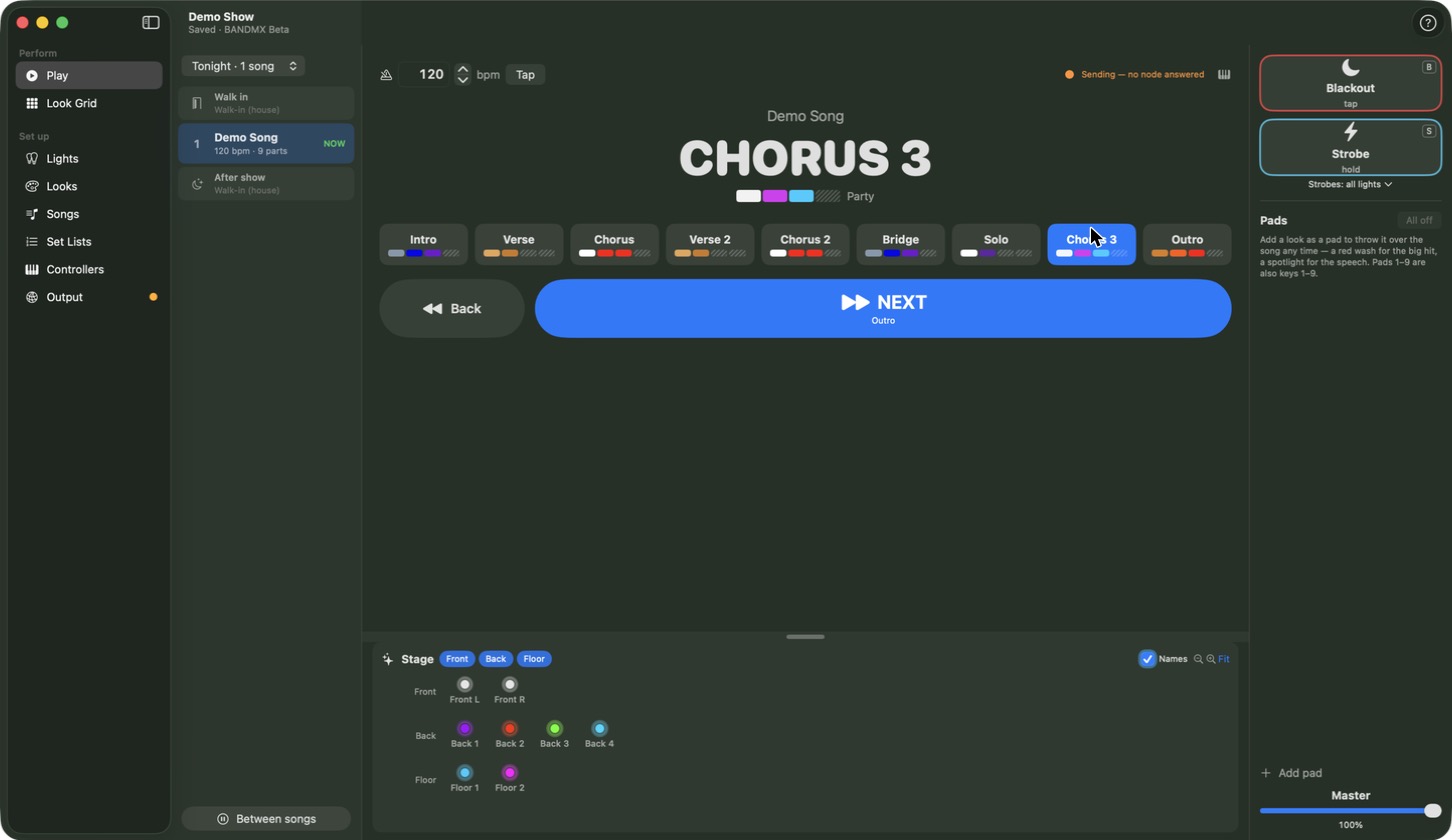
BANDMX Play screen showing the set list, the current song part in large letters, part buttons, a big Next button and a preview of the stage lights.

Made for bands, not lighting techs

Built around your songs

Your show is your set list. Choose a look for the verse, the chorus and the solo. That’s the whole idea.

One button on stage

Press Next on your laptop, a footswitch or your phone. The lights move to the next part of the song.

Always on the beat

Pulses and chases follow each song’s tempo. Type it in or tap it.

Easy to read on a dark stage

Big letters show the song and the part you’re on. One big Next button shows what’s coming.

  • Blackout and strobe are always one tap away.
  • Run a fog machine from a button.
  • Nothing gets stuck on, and quitting always asks first.
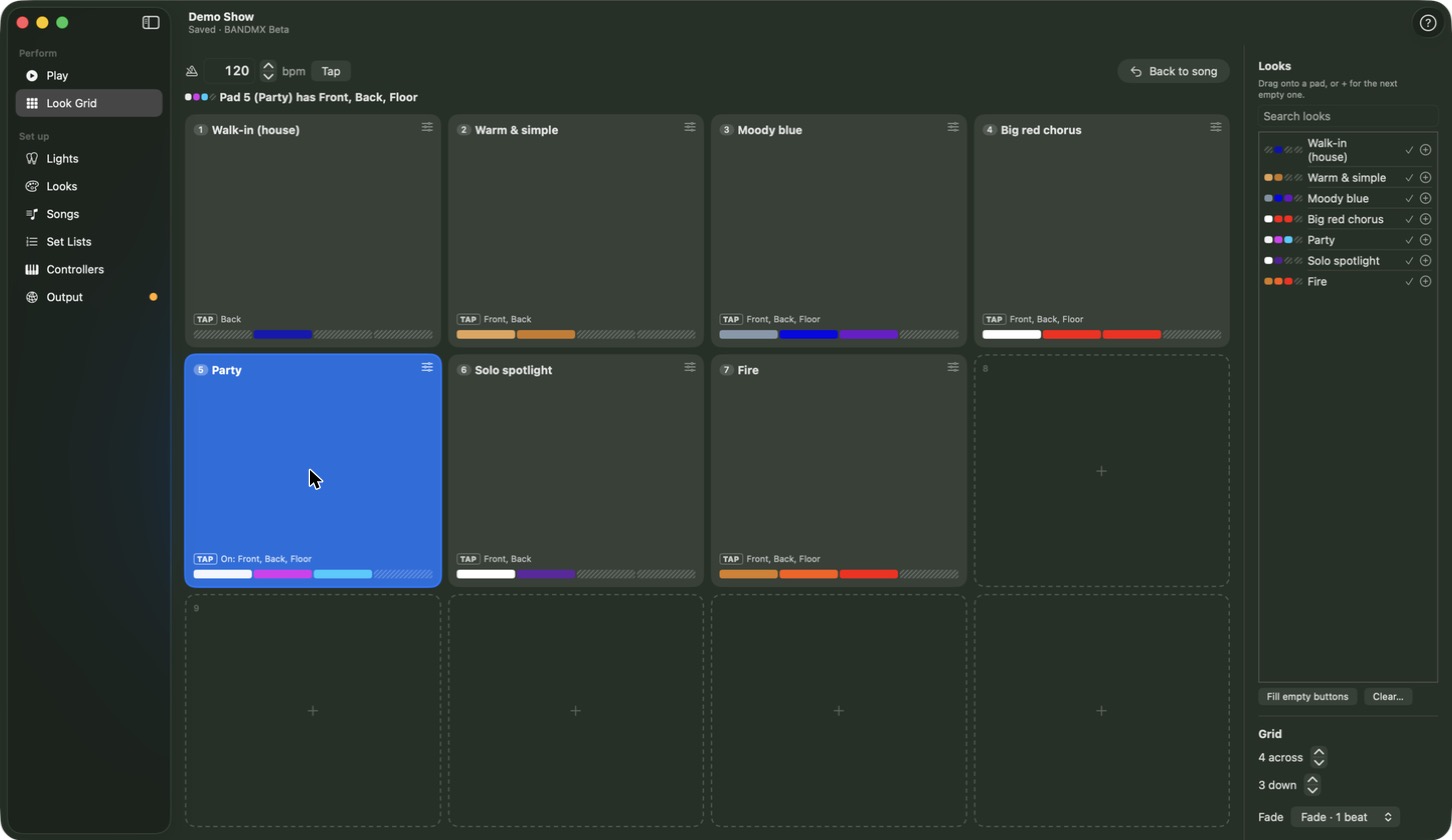
BANDMX Look Grid with pads for looks such as a red wash and a blinder.

Big moments on pads

Save a look to a pad and hit it any time: a red wash for the big hit, a blinder for the last chorus.

  • Hold a pad, or tap it on and tap it off.
  • Pads 1–9 are on your keyboard.
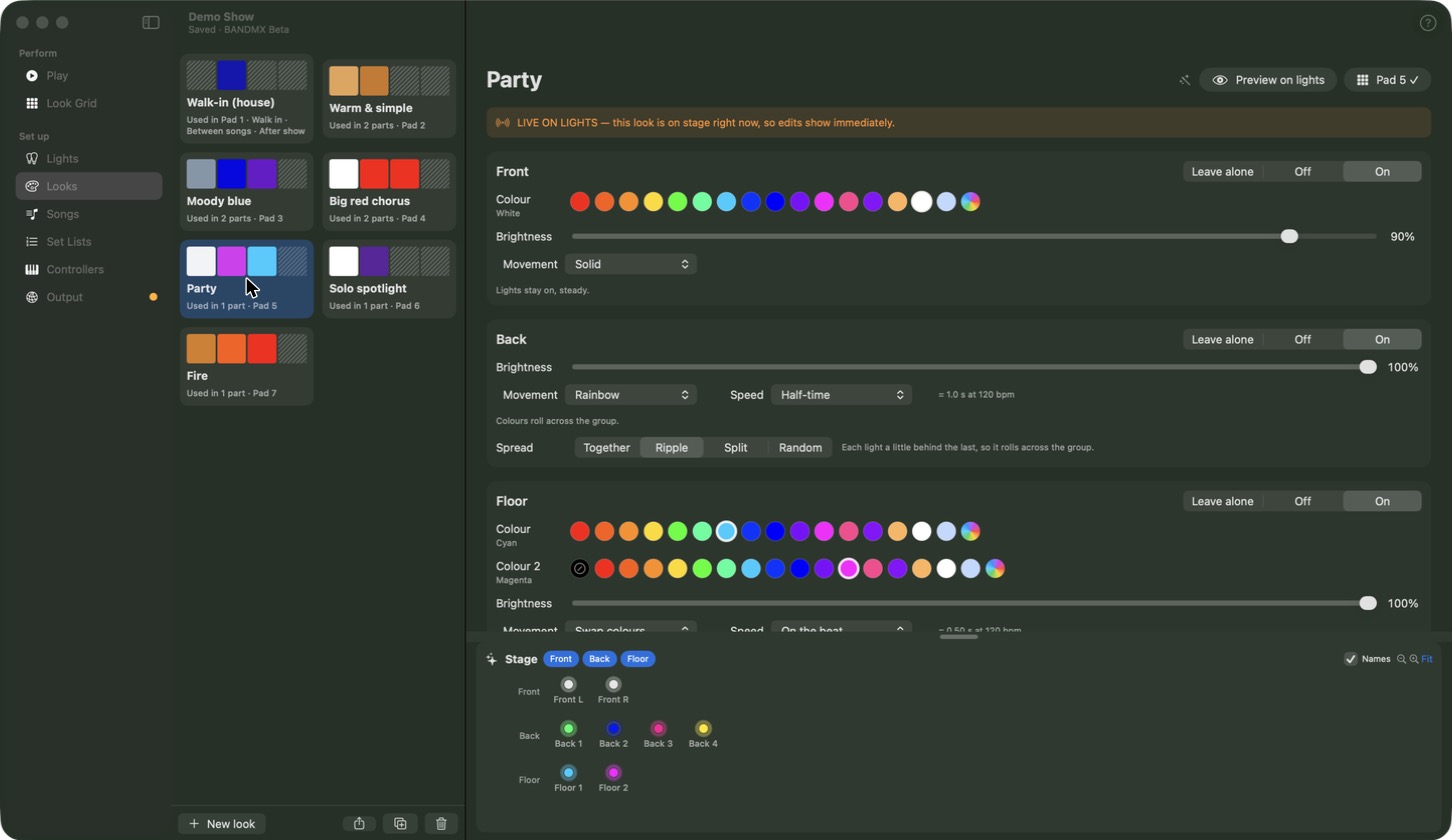
BANDMX look editor showing colour, brightness and movement for each group of lights.

Looks without the jargon

Choose colours, brightness and how the lights move: breathe, pulse, chase, sparkle and more. The speed always matches the song.

  • Aim moving lights with simple choices like “At the crowd” or “Straight down”.
  • See it on your real lights while you edit.
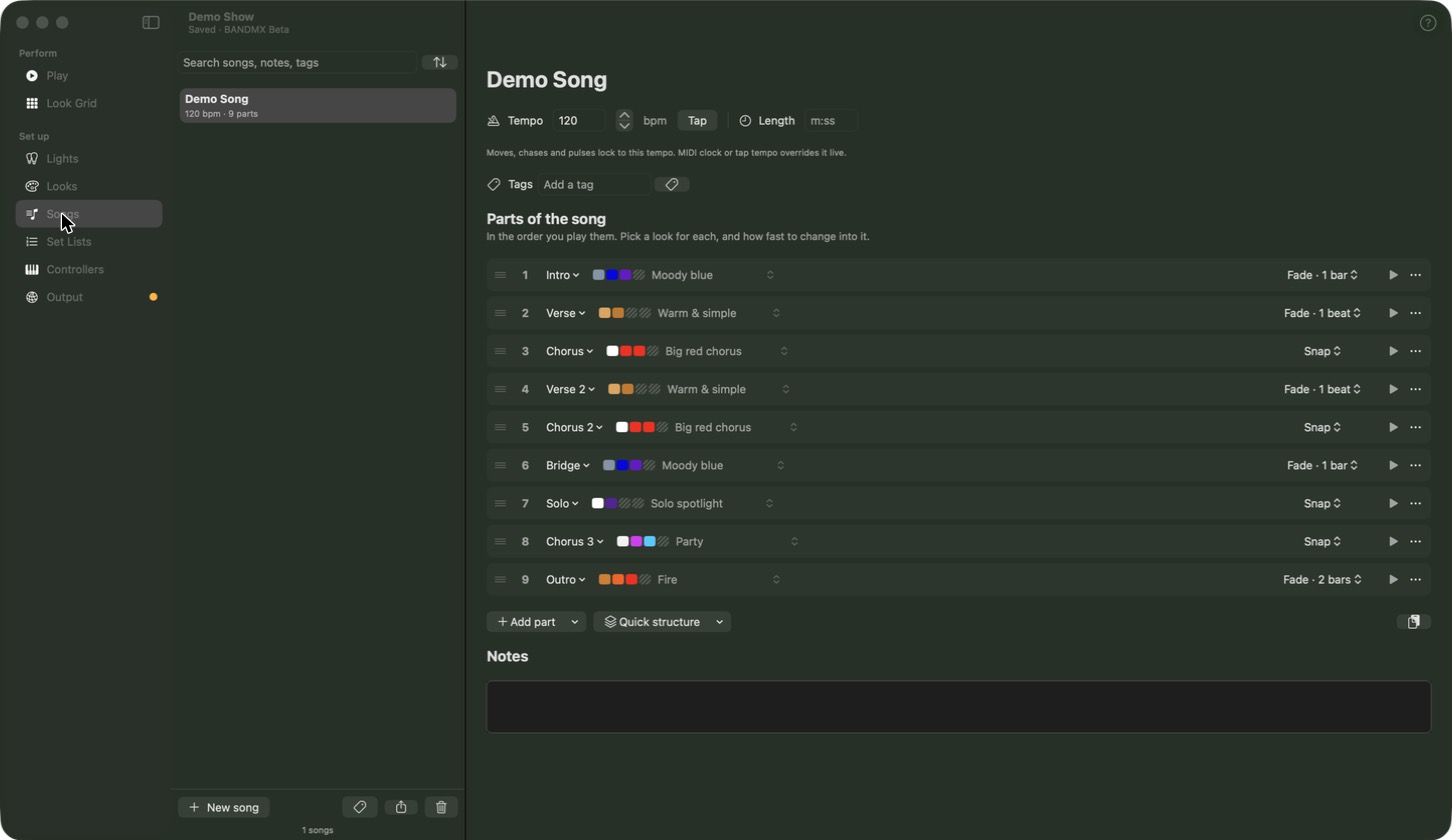
BANDMX Songs screen listing a song's parts, each with its look.

Songs and set lists

Add a song, list its parts and pick a look for each. Switch instantly or fade over a few beats.

  • Lay out a whole song in one click.
  • Drag songs to build tonight’s set.
  • Includes looks for walk-in, between songs and after the show.
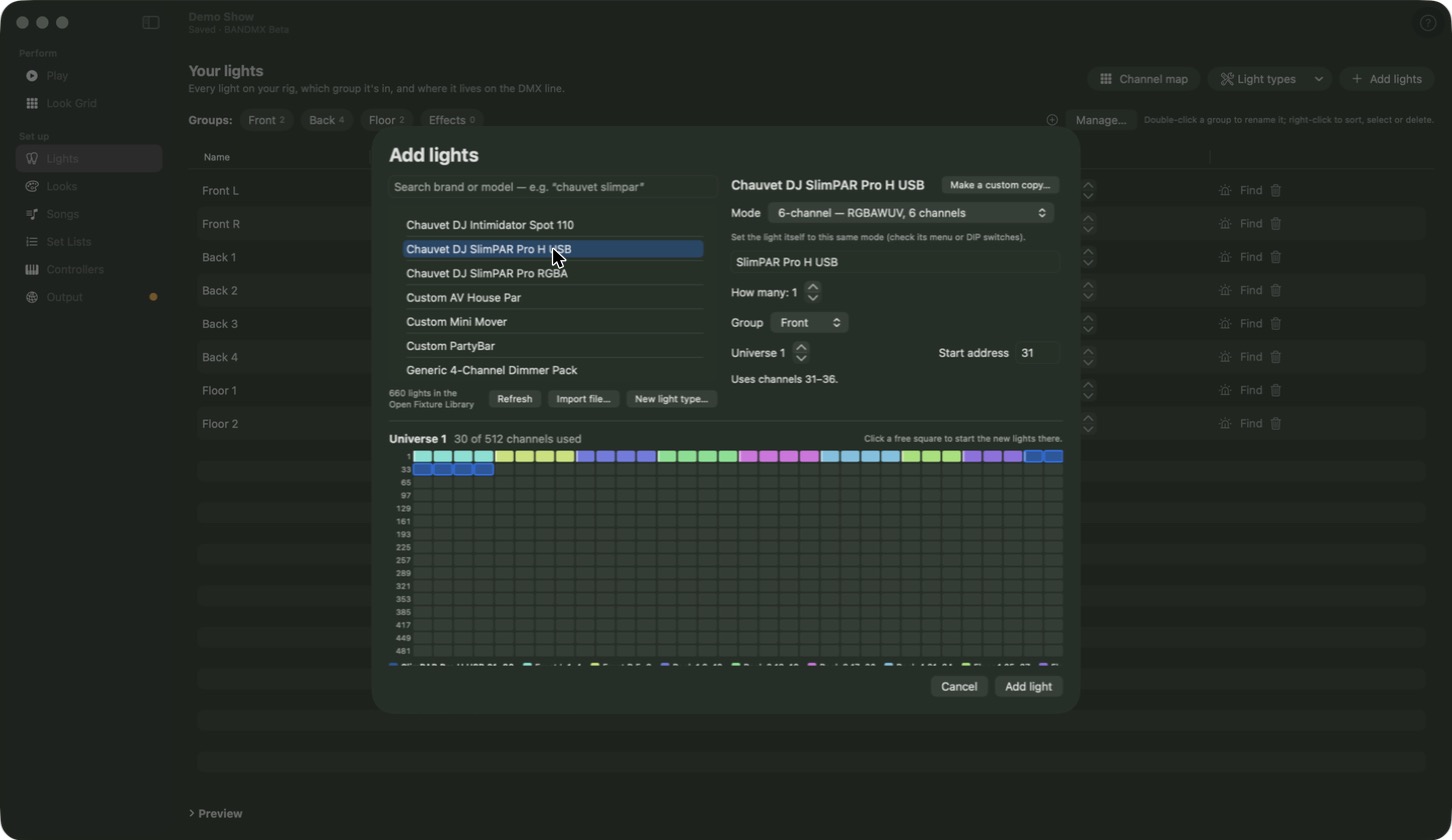
BANDMX Add lights window, searching a library of lights by brand and model.
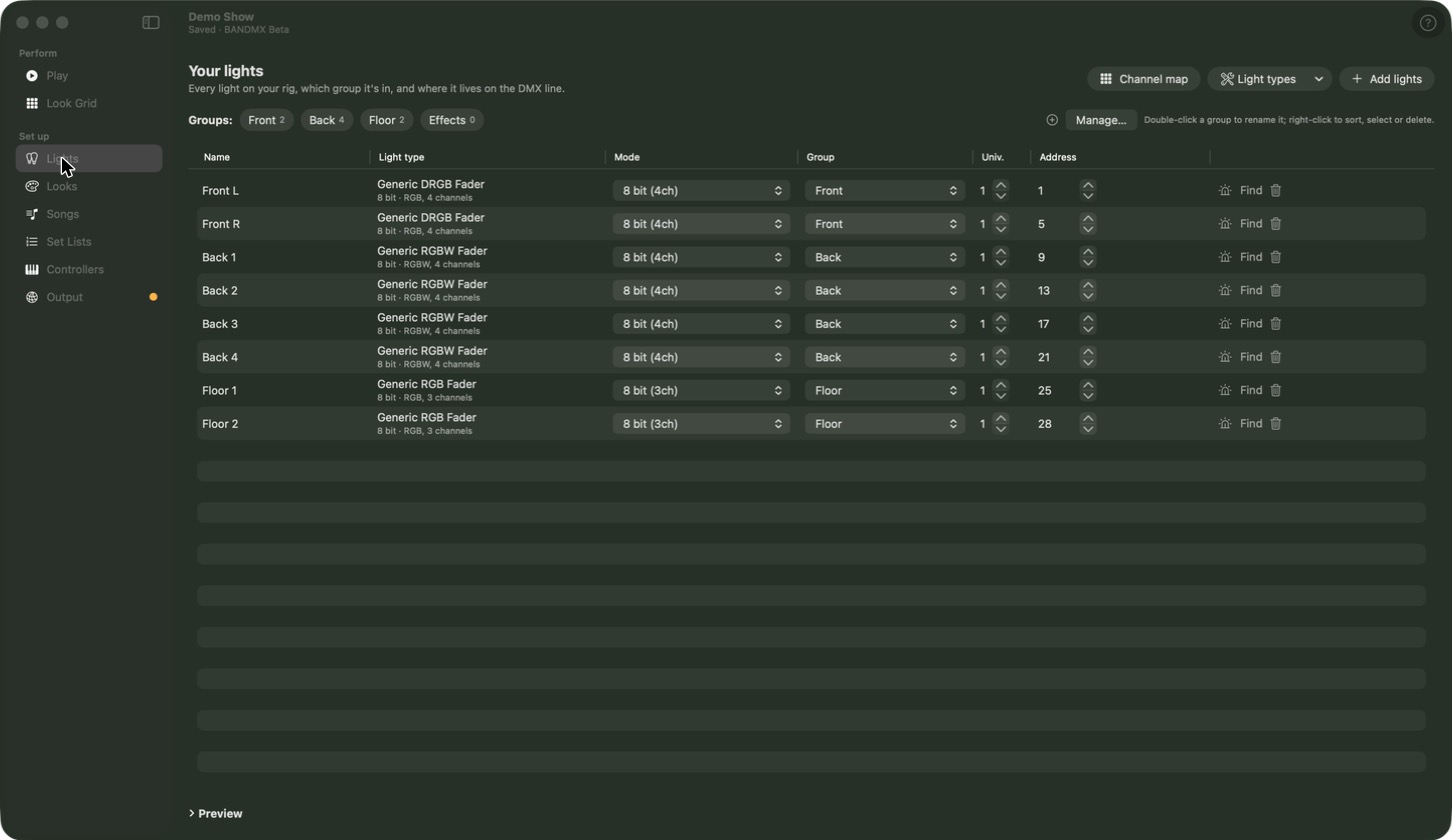
BANDMX Lights screen with lights sorted into groups.

Add your lights in minutes

Search for your lights by brand and model in a library of hundreds. BANDMX sets them up for you.

  • Light not listed? Add it using its manual.
  • Find makes one light blink, so you know which is which.

Footswitch, keyboard or phone

Plug in a MIDI footswitch, click Learn, then press the pedal. That’s it.

SpaceNext
Back
BBlackout
SStrobe
1–9Pads
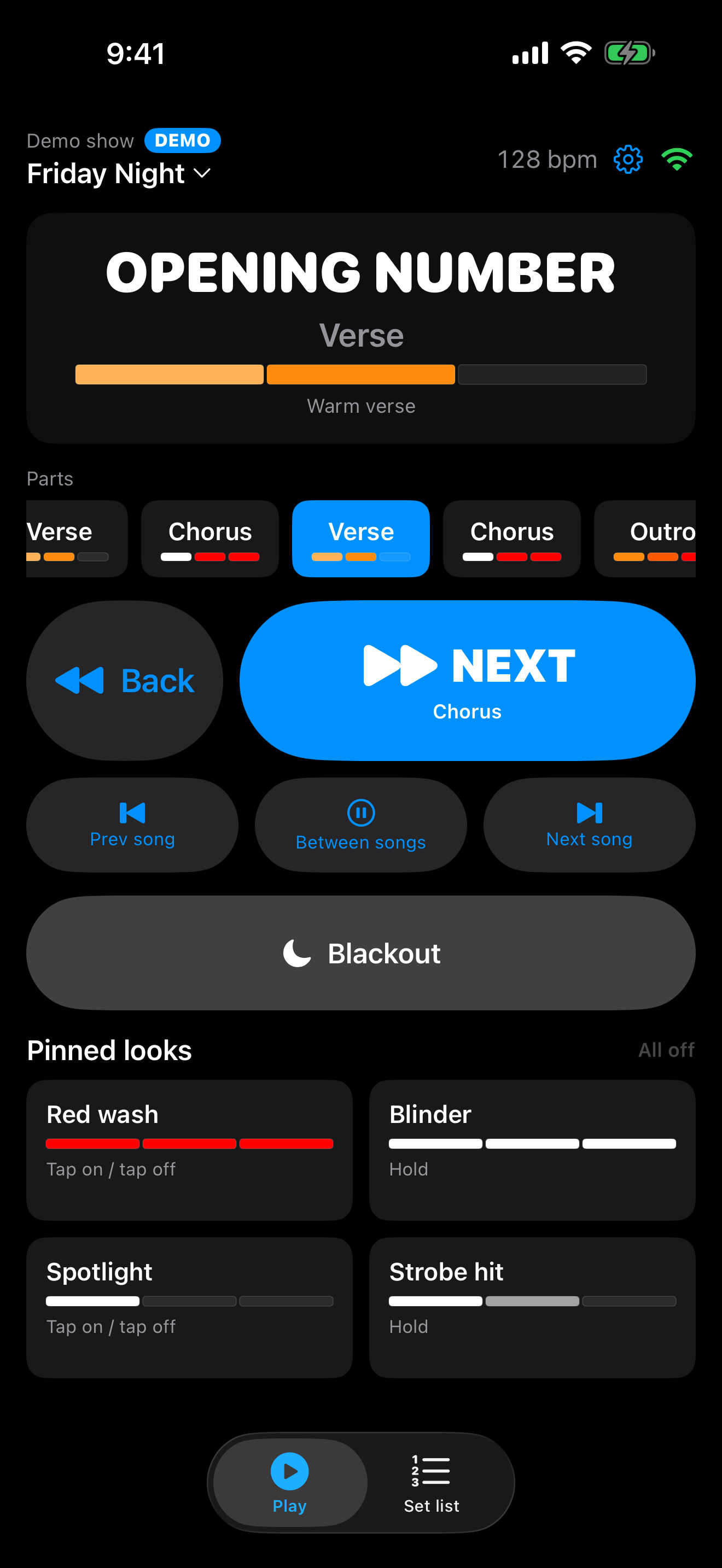
BANDMX Remote on iPhone showing the current song and part, a large Next button, Blackout, and four pads.
Always know what’s next.
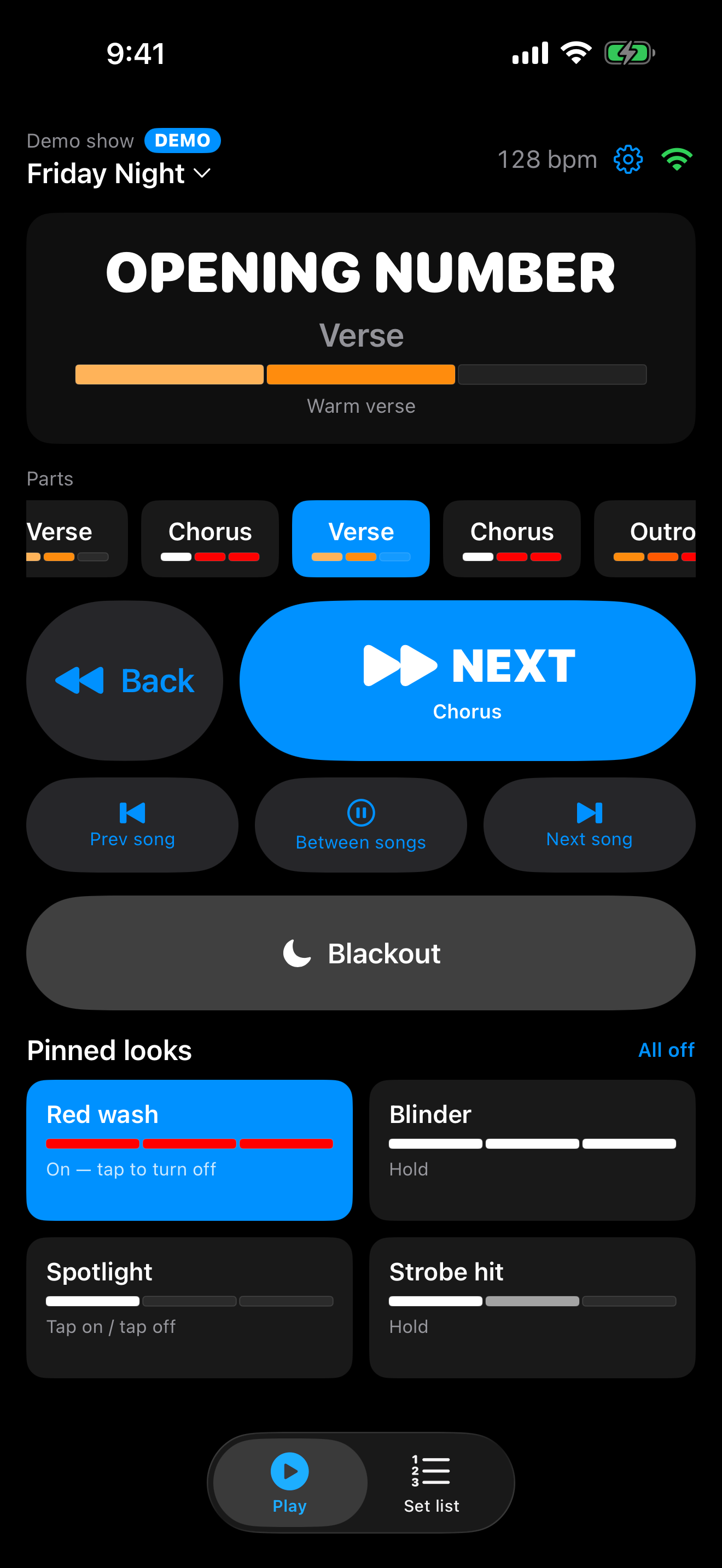
BANDMX Remote with a pad switched on.
Pads for the big moments.
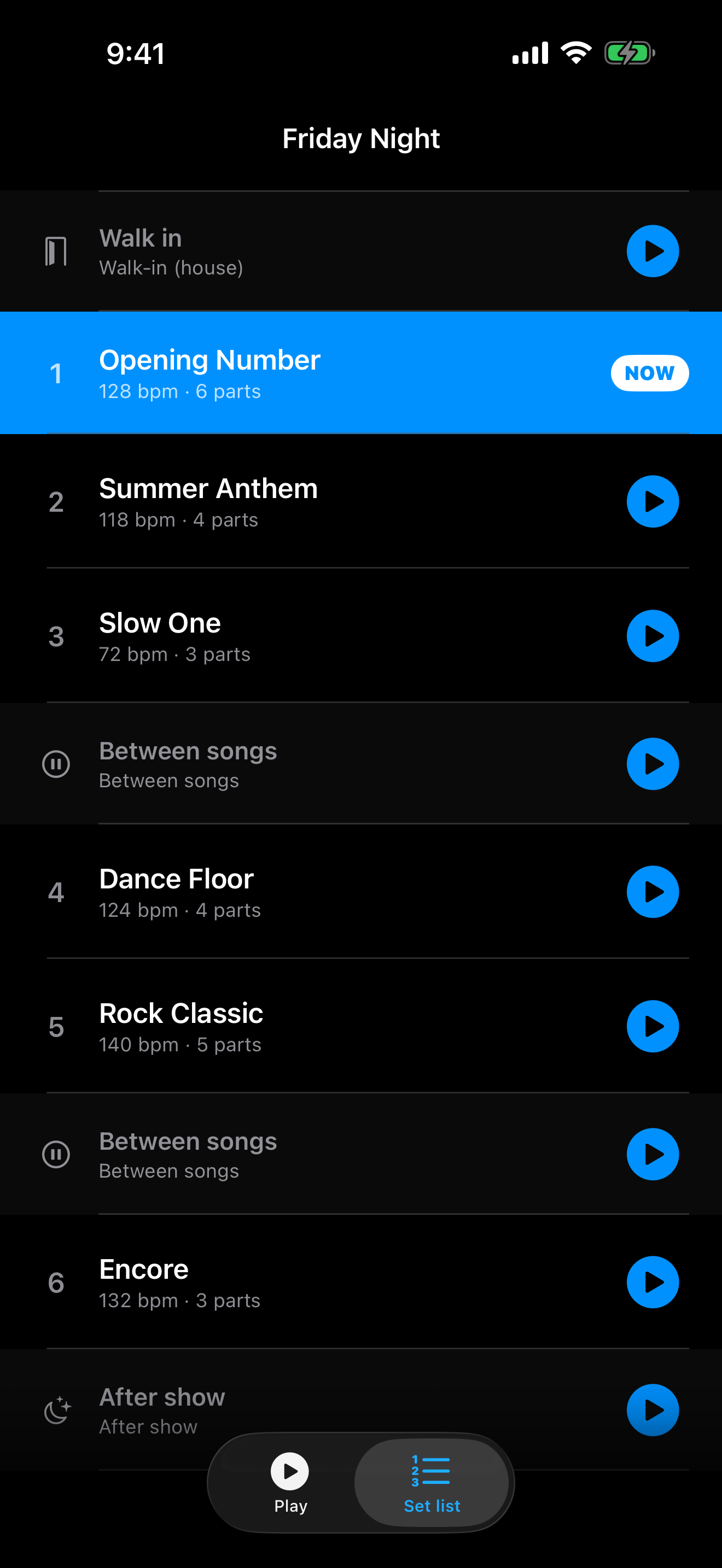
BANDMX Remote set list with the playing song marked NOW.
Your whole set list.

BANDMX Remote

Run the lights from your phone, anywhere on stage. Free for iPhone and iPad.

  • Next, Back and every part of the song
  • Your whole set list
  • Blackout and your pads
  • Finds your Mac on your Wi-Fi by itself
  • Try the demo, no Mac needed

What you need

  1. A Mac

    Any Mac with Apple silicon (M1 or newer) running macOS 14 or later.

  2. An Art-Net box

    A small box that connects your Mac to your lights.

  3. Stage lights

    Pars, bars, moving heads, fog machines. If it has a DMX input, it works.

Questions

Do I need lighting experience?

No. If you can write a set list, you can use BANDMX. A built-in tour shows you around.

Can I try it without lights?

Yes. Open the demo show and watch the lights on screen.

Does it work with a USB lighting adapter?

Not yet. For now you’ll need an Art-Net box.

Does the phone remote need internet?

No. It only needs the same Wi-Fi as your Mac.

Technical details
MacApple silicon, macOS 14 Sonoma or later
OutputArt-Net 4, up to 4 universes (2,048 channels). sACN and USB-DMX not yet supported.
Show sizeUp to 256 lights in 24 groups
FixturesOpen Fixture Library, bundled generics, or build your own
MIDIAny CoreMIDI device; Learn mapping; MIDI clock; Program Change song select
RemoteiPhone and iPad, iOS 17 or later, same Wi-Fi network

Ready for your next gig?